Critical PHP security update: two remote code execution flaws patched
PHP has released fixes for two critical security flaws. Check the version running your website, update the server runtime, and verify the patch.
- Written by
- Ayoola Ayodele
- Published
- Reading time
- 3 min
Updated 21 October 2026. The PHP security team has released patches for two critical vulnerabilities that can allow an attacker to run code on a web server without signing in. If your website or application serves requests through PHP, check the runtime version today. Updating WordPress, a plugin or your application code does not by itself update the PHP interpreter installed on the server.
What happened?
The two issues are CVE-2026-109618, involving out-of-memory handling during request cleanup, and CVE-2026-109619, involving internal state that may remain after its memory has been freed. The PHP team rates both critical and says a demonstrated attack against Apache mod_php can be triggered before application code runs. It lists PHP-FPM, mod_php, php-cgi, FrankenPHP and LiteSpeed among the web-serving setups at risk. Read the official PHP security advisory (opens in a new tab) for the technical details and any subsequent corrections.
Which versions contain the fixes?
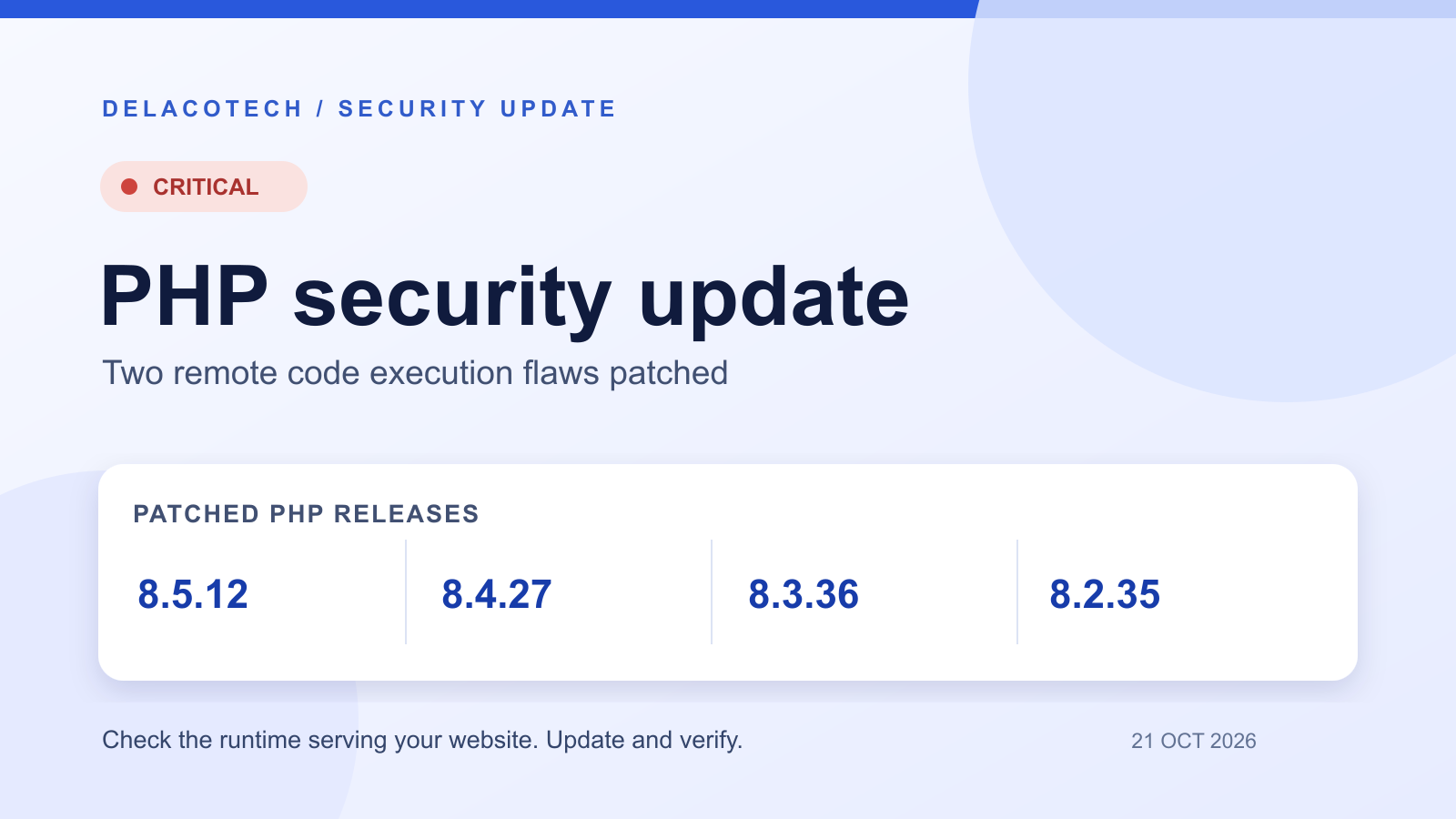
PHP released patched versions for each supported branch on 21 October:
PHP 8.5: update to 8.5.12
PHP 8.4: update to 8.4.27
PHP 8.3: update to 8.3.36
PHP 8.2: update to 8.2.35
Those are the upstream PHP releases. A Linux distribution or long-term support vendor may provide a patched package with a different version string, so check its security notice and package changelog. PHP 8.1 and older do not receive regular releases from the PHP project. Some vendors may backport a fix; otherwise, plan an upgrade to a supported branch. PHP also notes that 8.2 reaches end of life on 31 December 2026.
What should a site owner or engineering team do?
Find the PHP runtime serving each site. Check production, staging, containers, virtual machines and managed hosting. A command-line
php -vmay point to a different installation from the web server, so confirm the version used for web requests with your host or server configuration.Apply the patched runtime. Use your operating-system or hosting provider's security update where appropriate. If you manage PHP directly, move to the fixed release for your supported branch. Take a backup and use your normal deployment and rollback process.
Restart or replace workers and verify. Make sure the web-serving process is actually running the updated package, then test key site functions such as sign-in, forms, checkout and uploads.
Check exposure and logs. Review provider notices, relevant web and application logs, and any security monitoring for unusual activity. If you find signs of compromise, follow your incident response process rather than treating the patch as a complete investigation.
What if you cannot update immediately?
The PHP team is explicit that its suggested configuration changes reduce particular attack paths but do not make an affected installation safe. Prioritise patching. If your hosting provider cannot apply a fix promptly, ask it what isolation or temporary access restrictions it can provide, and follow the vendor advisory (opens in a new tab) for any interim measures relevant to your setup. Avoid copying a configuration workaround without checking its effect on your application and availability.
What this means for WordPress and other PHP sites
This is a PHP runtime issue, not a flaw in one particular content management system. A fully updated WordPress, Drupal or Laravel application can still be served by an affected PHP installation. If you use shared or managed hosting, ask your provider which PHP version handles your site and when it was patched. If you run your own servers, the update belongs in your server or container deployment as well as your application maintenance.
We will update this article if the PHP team changes its guidance. For now, use the official advisory and the PHP supported versions page (opens in a new tab) as the source of truth. The practical priority is to identify the runtime actually serving requests, install the applicable fix, and verify it is live.